
You paste a paragraph into ChatGPT, get a response, copy it into your document, and move on. That is a prompt. It works for one-shot tasks, and there is nothing wrong with it.
Now imagine a different scenario. You tell an AI system: "Research our three main competitors, draft a 15-slide strategy deck with positioning recommendations, and flag any claims that need a source." The system breaks the task into steps, executes each one, checks its own work, asks you to confirm the competitive positioning before building slides, and delivers a finished artifact. That is an agentic AI workflow. The gap between these two experiences is not incremental. It is architectural.
This guide explains what agentic workflows are, how they evolved from simpler approaches, what makes the plan-execute pattern reliable, and where things go wrong in production. If you are evaluating AI tools or building agent systems, this is the mental model you need.
What Is an Agentic AI Workflow?
An agentic AI workflow is a system where an AI agent autonomously plans, executes, and self-corrects across multiple steps to complete a complex task. The agent decides what to do next based on the results of what it just did.
Three properties separate agentic workflows from simpler AI usage:
- Multi-step reasoning. The agent decomposes a goal into subtasks and executes them in sequence or parallel. It does not try to solve the entire problem in one inference call.
- Tool usage. The agent calls external tools: APIs, databases, file systems, code interpreters. It acts on the world, not just generates text.
- Self-correction. The agent observes the results of its actions and adjusts. If a step fails or produces unexpected output, it re-plans rather than returning garbage.
The word "agentic" gets overused. A chatbot that answers questions is not agentic. A retrieval-augmented generation (RAG) pipeline that pulls documents and summarizes them is not agentic, either. Those are useful, but they follow fixed paths. An agentic workflow is defined by the agent making decisions about what to do next.
The Evolution: Prompts, Chains, and Agents
The industry arrived at agentic workflows through three generations. Each one solved the previous generation's biggest limitation.
| Generation | Pattern | How it works | Limitation |
|---|---|---|---|
| Prompts (2022-2023) | Single inference | User sends input, model returns output in one call | Cannot handle multi-step tasks. No tool access. No memory. |
| Chains (2023-2024) | Fixed pipeline | Predefined sequence of LLM calls and tool invocations. LangChain popularized this. | Rigid. Every possible path must be coded in advance. Cannot adapt to unexpected results. |
| Agents (2024-2026) | Dynamic planning | Agent decides at each step what to do next based on observations. Loops until goal is met. | Harder to debug. Can drift off-task. Requires guardrails and checkpoints. |
Chains were a genuine improvement over raw prompts. Instead of asking a model to do everything at once, you could build a pipeline: first summarize the input, then extract entities, then generate output. The problem was that every chain was a railroad track. If the summarization step produced something the entity extraction step did not expect, the whole pipeline broke. You could not add branches, retries, or dynamic decisions without rewriting the chain.
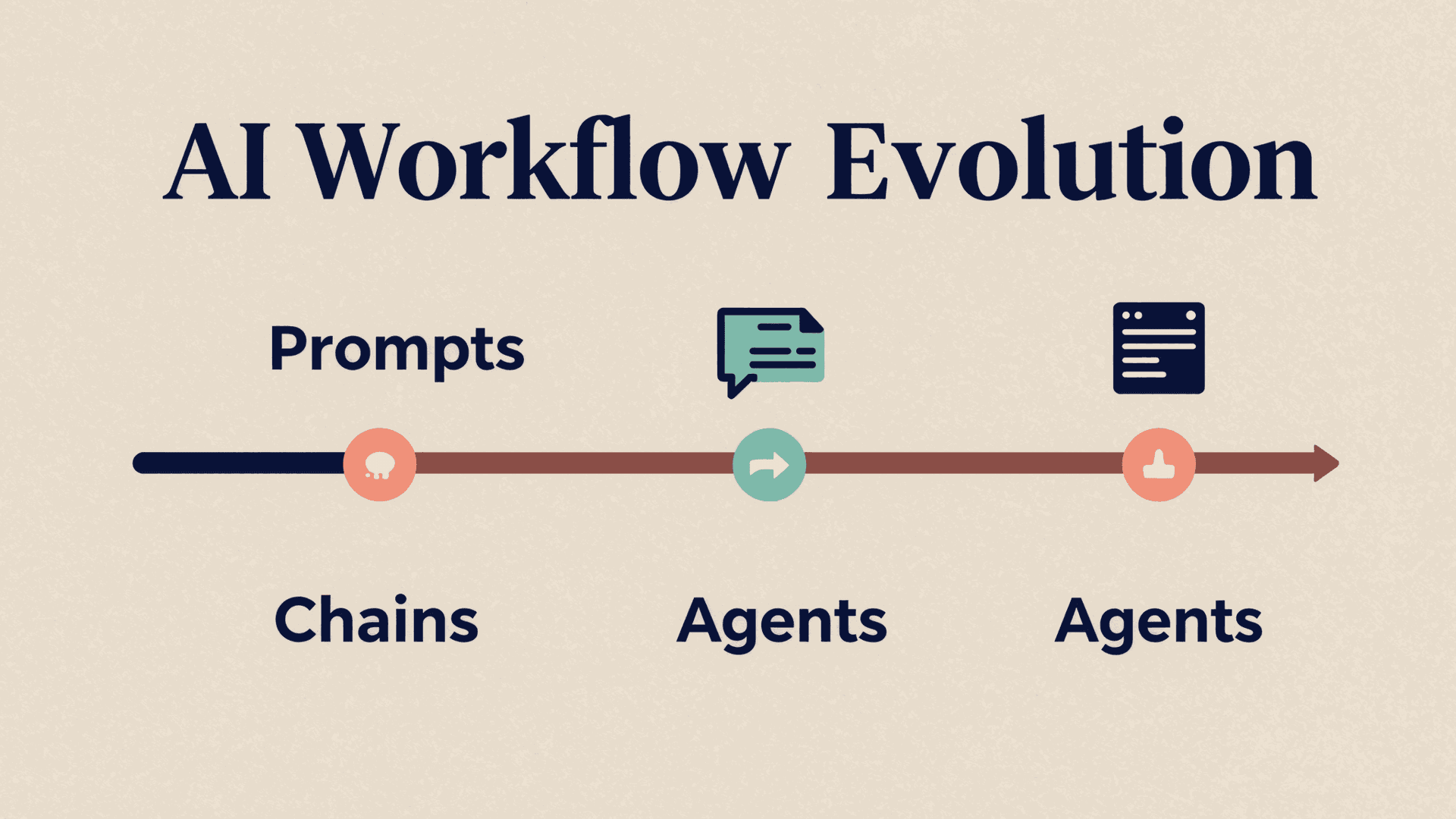
Agents solved this by letting the model decide the next action at each step. An agent with access to a web search tool, a code interpreter, and a document writer can receive a complex request and figure out which tools to use, in what order, and when to stop. It is the difference between following a recipe and cooking by judgment.
Anatomy of an Agentic Workflow
Every agentic workflow, regardless of the framework, follows the same loop:
Plan — The agent receives a goal and decomposes it into steps. Some systems produce an explicit plan (a numbered list of subtasks). Others plan implicitly, deciding one step at a time. Explicit planning is more reliable for complex tasks because you can review the plan before execution begins.
Execute — The agent carries out the current step, typically by calling a tool or generating content. Each execution produces an output and, importantly, an observation about what happened.
Observe — The agent evaluates the result. Did the tool return the expected data? Is the generated content on-topic? Does the output satisfy the requirements of the current step?
Adjust — Based on the observation, the agent decides: proceed to the next step, retry the current step with a different approach, revise the plan, or stop and report.
This plan-execute-observe-adjust loop runs until the agent determines the goal is met or it hits a termination condition (max iterations, user cancellation, unrecoverable error).
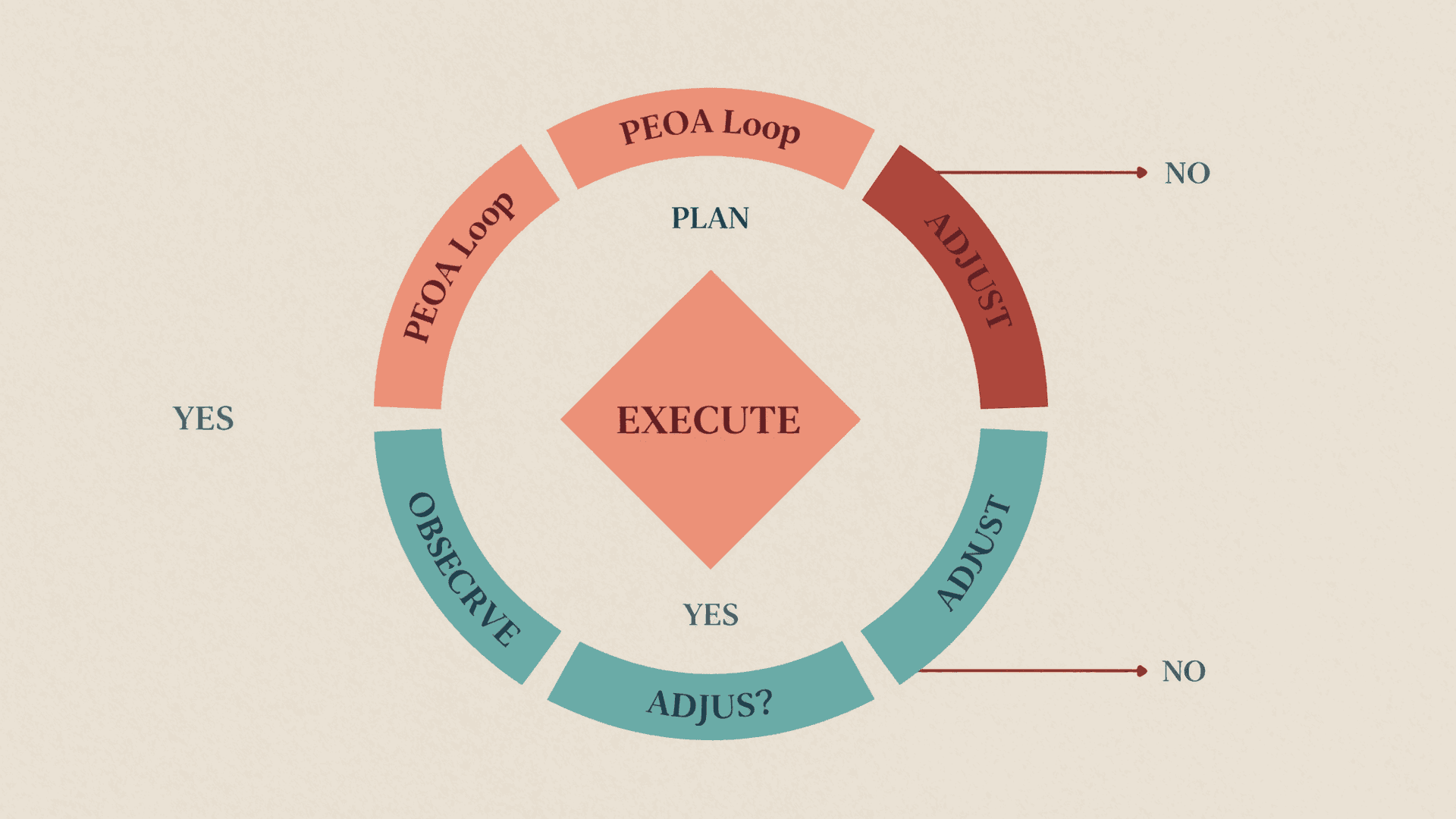
The reliability of an agentic workflow depends almost entirely on how well the observe and adjust phases work. An agent that blindly executes steps without checking results will produce confident, wrong output. An agent that over-adjusts will loop forever. Getting this balance right is the core engineering challenge.
Plan-Execute: The Architecture Behind Reliable Agents
The plan-execute pattern splits the agent into two distinct roles: a planner that reasons about what to do, and an executor that does it. This separation matters because planning and execution require different capabilities.
The planner needs broad context awareness, strategic reasoning, and the ability to decompose complex goals. It works with high-level abstractions: "analyze competitor pricing," "draft executive summary," "verify data sources."
The executor needs precision, tool proficiency, and the ability to handle errors gracefully. It works with concrete operations: "call the pricing API with these parameters," "format this data as a markdown table," "retry with a different query because the first one timed out."
In practice, this often means using different models or different configurations for each role. A capable but expensive model handles planning. A faster, cheaper model handles execution steps that are more mechanical. This is not just a cost optimization. It produces better results because each model operates in its optimal regime.
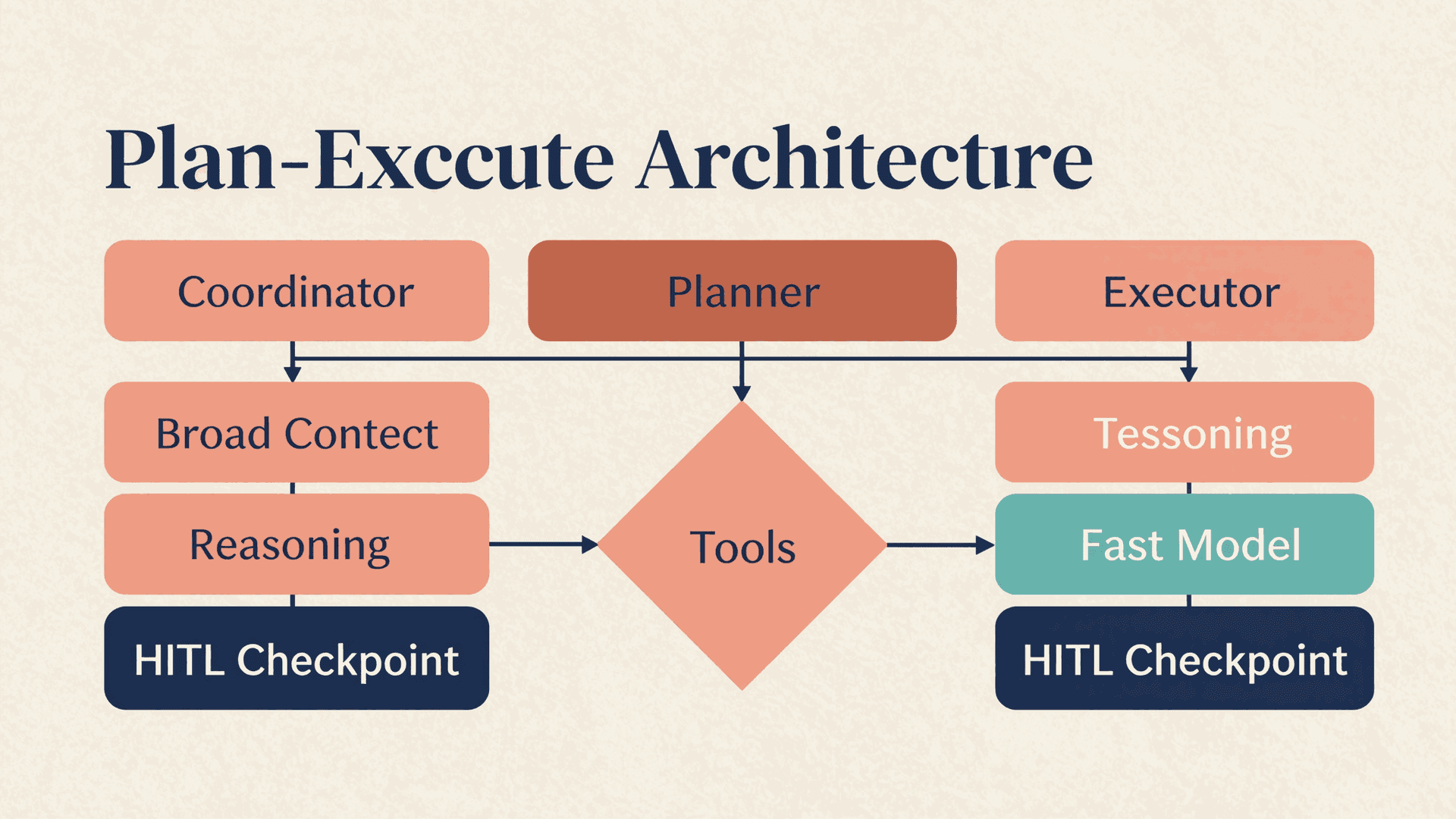
AtomStorm's multi-agent collaboration architecture uses this pattern for content creation. A planning agent analyzes the user's request and produces a structured outline. Execution agents handle individual components: one writes content, another handles visual layout, a third checks quality. A coordinator agent monitors progress and re-plans if any step produces results that change the overall direction.
The plan-execute pattern also creates natural checkpoints. After the planner produces a plan, the system can pause and show it to the user. "Here is what I intend to do. Approve, modify, or cancel." This is far more useful than showing the user a finished artifact they need to redo from scratch.
When Agentic Workflows Beat Simple Automation
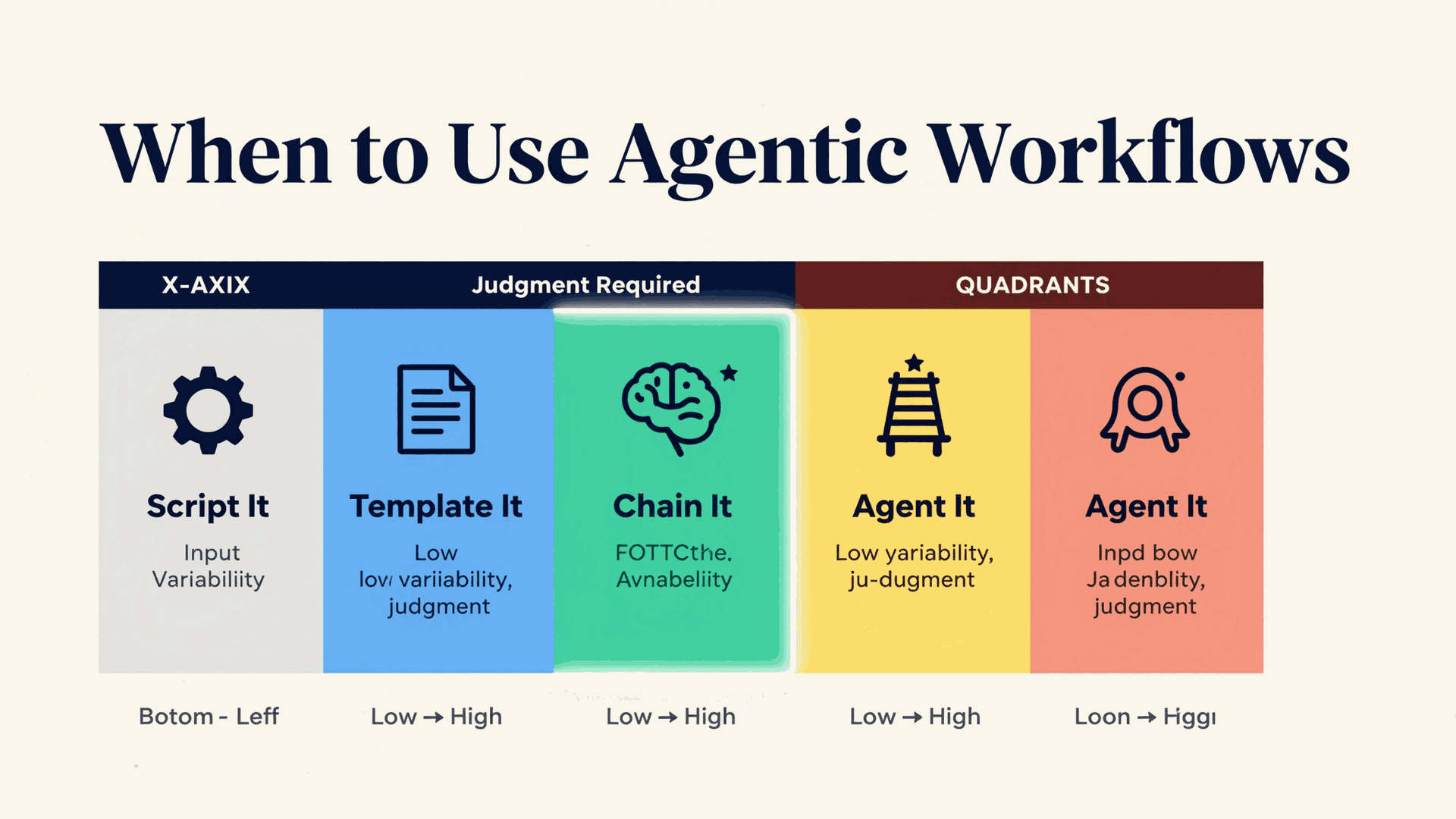
Not every task needs an agent. The decision depends on how much variability and judgment the task requires.
| Task characteristic | Simple automation (scripts, chains) | Agentic workflow |
|---|---|---|
| Steps are known in advance | Yes, use automation | Overkill |
| Output format is fixed | Yes, use a template | Overkill |
| Task requires judgment calls | Poor fit: every branch must be hard-coded | Strong fit: agent decides dynamically |
| Input varies significantly | Brittle: edge cases multiply | Strong fit: agent adapts to each input |
| Errors require creative recovery | Automation fails or retries blindly | Agent diagnoses and adjusts approach |
| Multi-tool coordination needed | Possible but rigid | Natural: agent selects tools per step |
| User needs to intervene mid-process | Awkward to implement | HITL checkpoints are built into the loop |
A monthly report where the data source, format, and distribution list never change? Automate it with a script. A strategy deck where the content, structure, and emphasis shift based on the audience, the competitive landscape, and what data is available? That is where an agentic workflow earns its complexity.
The trap is using agents for tasks that do not need them. An agent that "plans" to send a single API request and "executes" by sending that request adds latency, cost, and failure modes without adding value. Engineering teams that deploy agents everywhere learn this lesson with their cloud bills.
Want to see an agentic workflow in action? Start creating with AtomStorm and watch agents plan, execute, and refine your content in real time.
Human-In-The-Loop: Why Full Autonomy Is Not the Goal
The phrase "autonomous agent" sounds impressive. In production, full autonomy is usually a liability.
Consider what happens when an agent generates a competitive analysis deck autonomously. It pulls competitor data, makes positioning claims, selects which strengths to emphasize and which weaknesses to highlight, and packages everything into slides. Every one of those decisions has strategic implications. An autonomous agent makes them based on patterns in its training data. A human makes them based on knowledge of the company's actual strategy, relationships, and risk tolerance.
Human-In-The-Loop (HITL) means the agent pauses at predefined decision points and asks the user to confirm, modify, or redirect. Well-designed HITL is not about the human doing the work. It is about the human making the judgment calls while the agent handles the execution.
Effective HITL checkpoints in an agentic workflow:
- After planning, before execution. "Here is my plan for your 15-slide deck. The narrative arc goes: problem, market, solution, traction, team, ask. Shall I proceed?"
- At high-stakes decisions. "I found conflicting data about competitor pricing. Source A says $49/month, Source B says $99/month. Which should I use?"
- Before finalizing output. "Here is the completed deck. Review before I mark it as final?"
The cost of a HITL pause is seconds. The cost of an autonomous agent making a wrong strategic call is hours of rework or, worse, a bad deck in front of the wrong audience.
Building Agentic Workflows in Practice
If you are implementing an agentic workflow, here is what the architecture looks like in production.
State Management
The agent needs to track where it is in the plan, what has been completed, what failed, and what is pending. This is not optional. Without explicit state, long-running workflows lose track of progress after 10-15 steps. Manus, the AI agent platform, solved this by having their agent continuously rewrite its own todo list, pushing the current objective into recent context to prevent drift.
Tool Binding
The agent needs access to tools, and it needs to know what each tool does. The challenge is that tool descriptions consume context. Anthropic's engineering team measured 55,000 tokens consumed by 58 tools before any user interaction. The solution is progressive loading: describe tools briefly at startup, load full schemas only when the agent selects a tool. This is the same pattern that AI agent skills use for capability management.
Error Recovery
Every tool call can fail. APIs time out, data formats change, rate limits hit. A production agent needs three strategies:
- Retry with backoff for transient failures (network errors, rate limits).
- Alternative approach for persistent failures (different API, different query, manual fallback).
- Graceful degradation for non-critical failures (skip the failed step, note the gap, continue).
The worst pattern is silent failure: the agent encounters an error, ignores it, and presents incomplete output as if it were complete. This is depressingly common in naive implementations.
Termination Conditions
Without explicit termination conditions, agents loop. Set a maximum number of iterations, a maximum execution time, and a "good enough" quality threshold. When any condition is met, the agent stops and presents what it has.
Common Failure Modes and How to Avoid Them
| Failure mode | What happens | Prevention |
|---|---|---|
| Plan drift | Agent forgets the original goal during a long execution chain | Restate the goal in context at each step. Use state management. |
| Tool fixation | Agent calls the same failing tool repeatedly instead of trying alternatives | Cap retries per tool (2-3 max). Require strategy change after failures. |
| Over-planning | Agent spends more time planning than executing, producing elaborate plans for simple tasks | Set planning budget proportional to task complexity. |
| Confident hallucination | Agent presents fabricated information as factual, especially in research tasks | Require source citations. Verify claims against tool outputs. HITL at fact-heavy steps. |
| Context overflow | Long workflows fill the context window, degrading quality in later steps | Summarize completed steps. Use sub-agents with fresh context windows for independent subtasks. |
| Infinite refinement | Agent keeps "improving" output that is already good enough, never terminating | Define explicit quality criteria. Set iteration limits. |
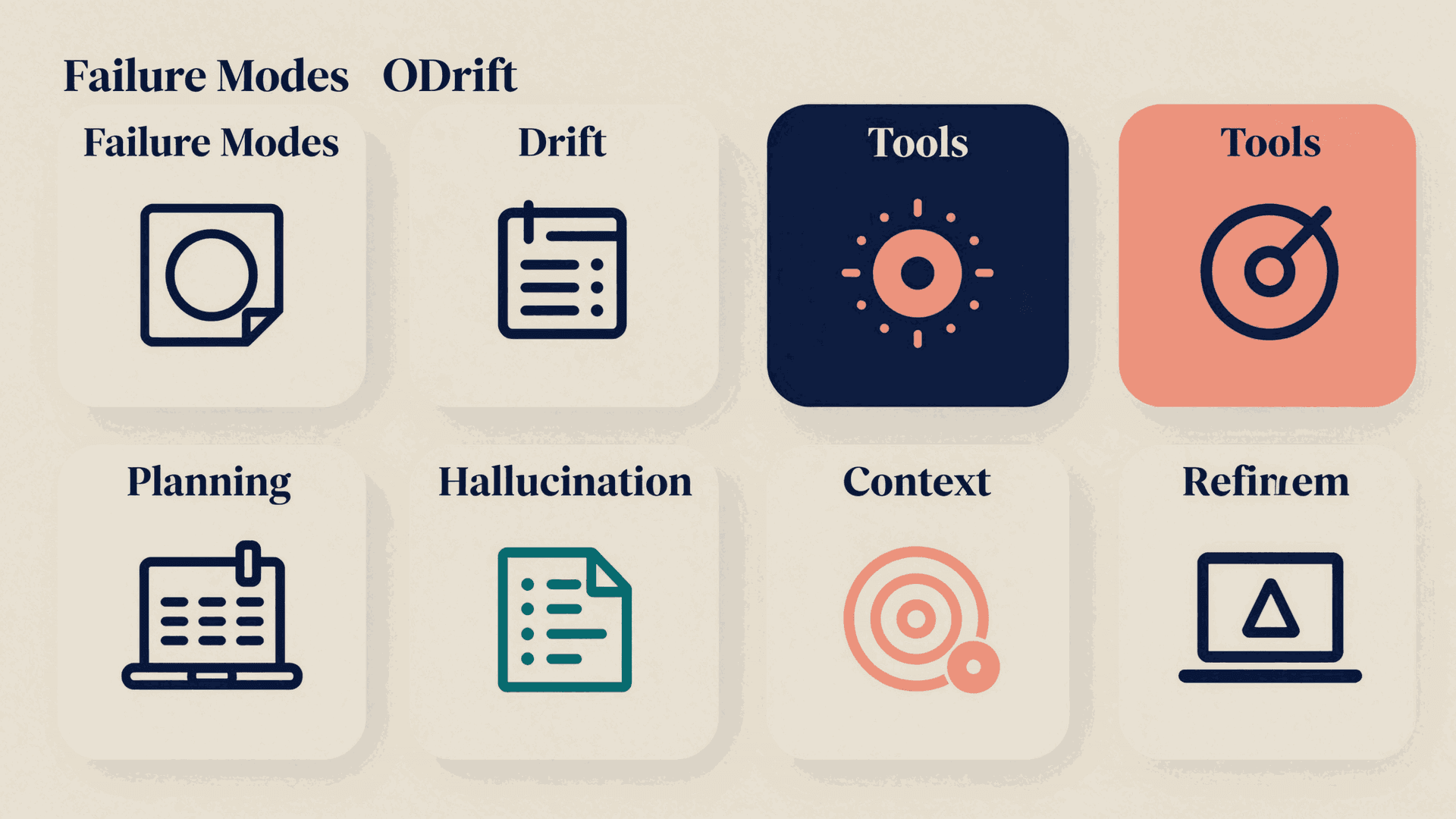
The last one, infinite refinement, is the most insidious because it looks like the agent is working hard. It produces marginally different versions of the same output, consuming tokens and time without meaningful improvement. A well-designed quality check answers a binary question: does this output meet the criteria? If yes, stop.
Getting Started: Your First Agentic Workflow
You do not need a custom framework to start. Most teams begin with an existing platform and learn the patterns before building their own infrastructure.
Step 1: Pick a task with 3-5 steps. A single-step task does not need an agent. A 20-step task will surface too many issues at once. Start with something like: research a topic, outline a document, draft each section, review for consistency.
Step 2: Make the plan explicit. Before the agent executes anything, it should produce a written plan that a human can read and approve. This is the single highest-leverage practice for agentic workflow reliability.
Step 3: Add one HITL checkpoint. Put it after the planning phase. Just that one pause point will catch most major errors before they propagate through the execution chain.
Step 4: Set termination conditions. Maximum 10 iterations, maximum 5 minutes, stop when all plan steps are marked complete. Adjust based on what you observe.
Step 5: Review the traces. Every agentic workflow should produce a log of what the agent planned, what it did, what it observed, and why it made each decision. Without traces, debugging is guesswork.
The shift from prompts to chains to agents mirrors how software engineering matured: from scripts to pipelines to orchestration platforms. Each generation handles more complexity, but also demands more engineering discipline. Agentic workflows are not harder because the technology is immature. They are harder because the problems they solve are genuinely complex.
The teams shipping the best AI-powered products in 2026 are the ones that understand when to use a prompt, when to use a chain, and when to deploy a full agentic workflow. Matching the architecture to the problem is the skill that matters. Product teams that want to turn this operating model into repeatable planning can start from the product roadmap template, route spec handoffs into the AI for product managers use case, and standardize stakeholder reporting with create investor update with AI.
Try an agentic workflow yourself: AtomStorm's plan-execute agents handle multi-step content creation with built-in HITL checkpoints. Free to start.